AI capabilities
Manufacturing AI that understands your lines
Bring data from every line, machine, operator, and shop floor environment into one data layer, with built-in AI that takes you from “what happened” to “what to do.”






AI does the groundwork, and your team makes the call
AI that connects every line, machine, operator, and shop floor data, and turns it into decisions that move the bottom line.
See
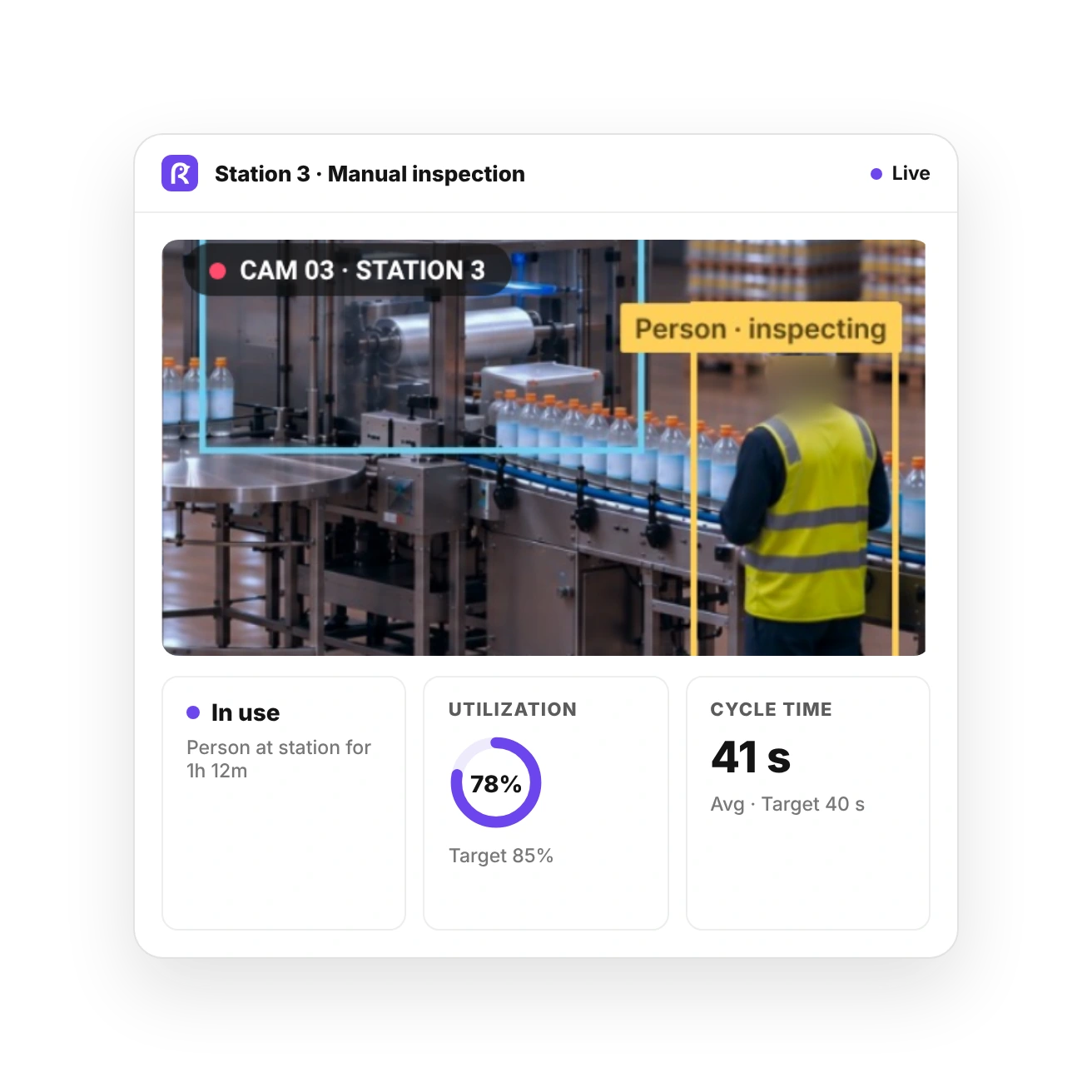
Cameras capture what your sensors can’t, so manual work shows up as numbers next to your machine data.
Understand
Ask about OEE, stops, and batches in plain language, or describe the report you need.
Act
Turn paper checklists into digital activities. Your team reviews and decides what happens next.
Connect
Bring your production data into Copilot, Claude, ChatGPT, and other AI tools through Factbird MCP.
How AI can help improve your factory
From capturing machine blind spots to connecting AI to your production data, here’s how Factbird’s Manufacturing AI can help.
Visual Intelligence
Put numbers on your blind spots
Cameras capture what your sensors can’t, and Visual Intelligence turns it into numbers next to your machine data in Factbird.
AI Assistant
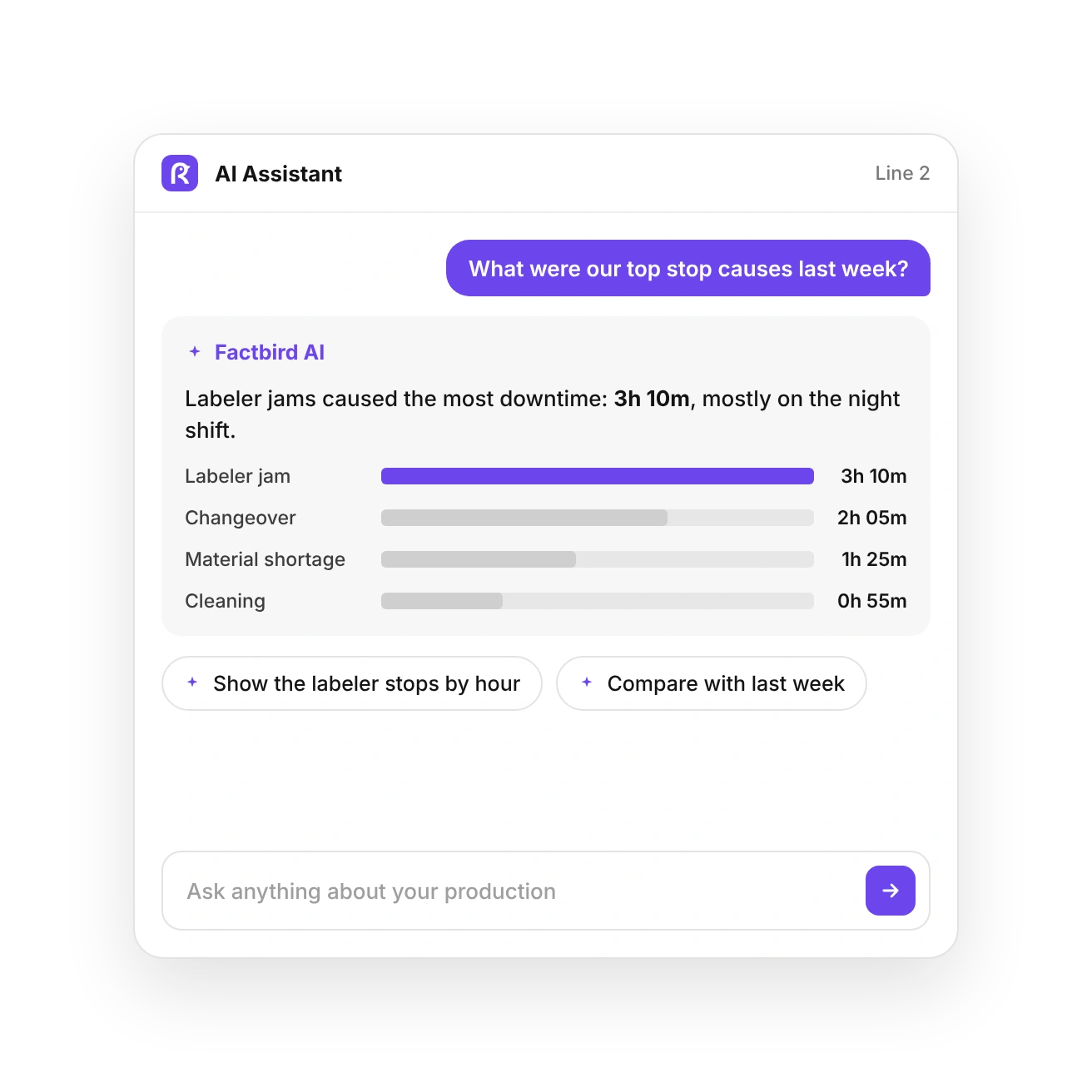
Ask your production data anything
Type a question the way you’d ask a colleague, and the AI Assistant answers from your live production data. It works with your shifts, products, and stop reasons, so the reply fits your plant.
AI Report Builder
Spend your reporting time on improving the numbers
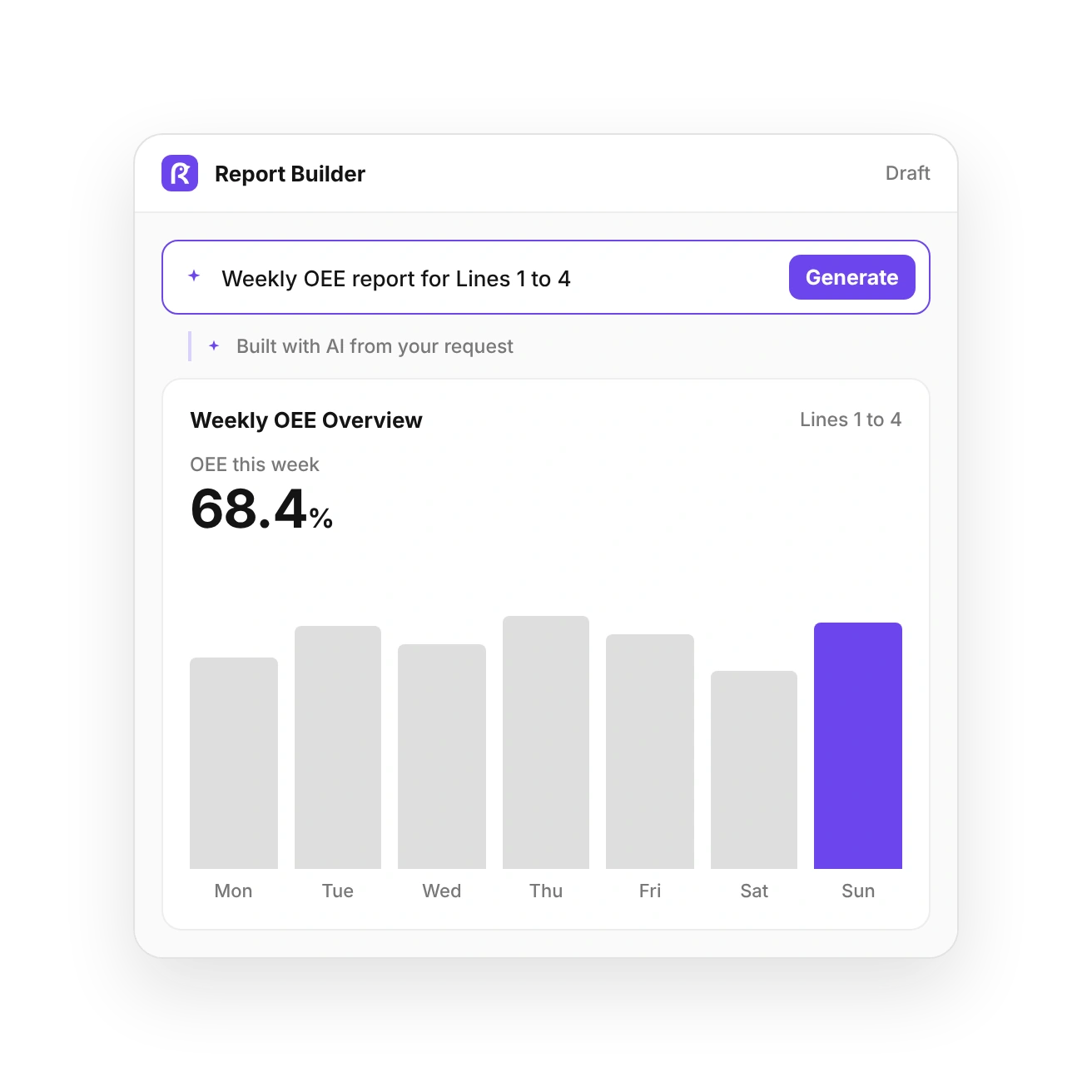
Describe the report you need, like “Weekly OEE report for Lines 1 to 4,” and the AI Report Builder drafts it from your KPIs. Then you choose who gets it and how often.
AI Activity Creator
Get the paperwork off the line
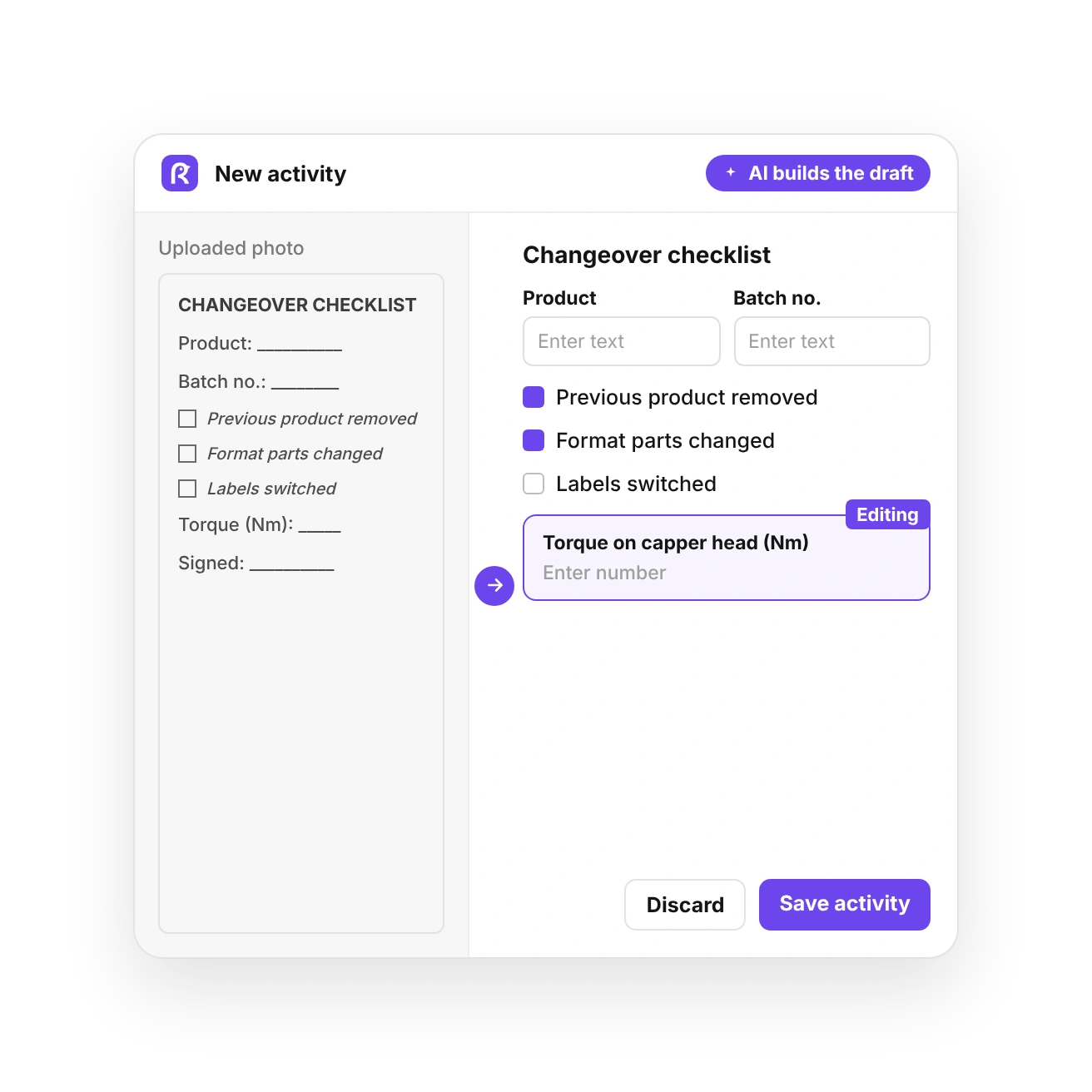
Upload a photo or screenshot of any form or page, and the AI Activity Creator builds a digital checklist from it. Your team rolls it out to the lines that need it.
Factbird MCP
Bring your production data into the AI tools you already use
Factbird MCP connects Copilot, Claude, ChatGPT, and other AI assistants to your live production data. Ask about your lines the way you’d ask about anything else. If your ERP or maintenance system is connected too, the answer can draw on both. Access is read-only and follows the permissions each person has in Factbird.
Explore Factbird MCPWorks with your AI tools
Ask in the AI assistant you already use
Factbird MCP connects your production data to the AI tools below. Here is an example in Microsoft Copilot.
 CopilotNew chatSearchLibraryAgentsChatsLine stops this weekSummarise this email
Line 2 lost 6h 40m to stops this week. Most of it came from labeler jams on the night shift.
Built for everyone who runs the plant
Shift leaders, plant managers, and leadership use different parts of Factbird AI, all on the same production data.
Shift leader
Start every shift with the facts
A summary of the last shift, so the handover starts with facts instead of guesses.
AI AssistantMachine checks and SOPs as digital activities instead of paper on a clipboard.
AI Activity CreatorPlant manager
See where to focus across lines
Manual cycle times and station use as numbers next to your machine data.
Visual IntelligenceCompare lines and sites on the same KPI definitions, without a BI expert.
AI Report BuilderLeadership
Get the numbers where you already work
A weekly report in your inbox, built once and delivered on schedule.
AI Report BuilderAsk about production in Microsoft Copilot, Claude, or ChatGPT.
Factbird MCPSee Factbird AI on your own production data
Security and privacy
AI you can roll out with confidence
Your production data stays protected from the line to the cloud, and people only see what they already have access to.
Hosted on AWS
Factbird runs in the AWS cloud, with configurable data regions for data sovereignty requirements.
Single sign-on (SSO)
Single sign-on with SAML, Active Directory, and Microsoft Entra, with multi-factor authentication.
Role-based access
Granular permissions decide who can see and change what in Factbird.
You review before it goes live
Reports and activities created with AI are drafts your team checks, edits, and approves before they are used.
The difference manufacturers see on their own lines
These results come from Factbird’s production monitoring, which every AI capability on this page is built on.
Sintex
Sintex increased OEE by 5% after only one week of using Factbird.
Read the Sintex case study




Factbird's Manufacturing AI FAQ
Can't find what you're looking for? Browse the guides in the Support Hub, or ask your Factbird contact.
What is Built-in Manufacturing AI in Factbird?
Built-in Manufacturing AI is the set of AI tools inside the Factbird platform: the AI Assistant, AI Report Builder, AI Activity Creator, Visual Intelligence with the AI Visual Counter, and Factbird MCP. They all work on the same production data in Factbird.
What can manufacturing AI software do on the shop floor?
In Factbird, manufacturing AI answers questions about OEE, downtime and performance in plain language, builds production reports from a description, turns paper checklists into digital activities, turns camera footage into production data, and brings your Factbird data into AI tools such as Microsoft Copilot, Claude, and ChatGPT.
What is Visual Intelligence?
Visual Intelligence is an AI capability in the Factbird platform that turns camera footage into production data, such as manual cycle times, material flow, and product counts, next to your machine data.
Where do Visual Intelligence and the AI Visual Counter run?
Visual Intelligence and the AI Visual Counter run on the Factbird EDGE device at the line. The results are sent to Factbird, where they feed OEE, downtime tracking and performance analysis.
What data does the AI Assistant use?
The Factbird AI Assistant uses your production data in Factbird. It analyzes data from lines, stops, OEE, batches, and products, and the available data sources may expand as the feature develops.
Do I need BI tools to build production reports with AI?
No. With the AI Report Builder in Factbird, you describe the report in plain language and it is created from your existing production data, without coding, BI tools, or IT support.
Can Factbird digitize existing paper checklists?
Yes. Take a photo or screenshot of a paper form or checklist, and AI Activity Creator in Factbird turns it into a draft digital activity. You review and edit it, set when it should run, and save it when it is ready.
Can I use Factbird data in Microsoft Copilot, Claude, or ChatGPT?
Yes. Add the Factbird MCP server as a connector in your AI tool and sign in. Factbird MCP uses the same access rights you have in Factbird.
Can I edit what Factbird AI creates?
Yes. Reports built with AI in Factbird can be refined with a new prompt and edited widget by widget before you save them, and activities created with AI are reviewed before they are published.
How does Factbird keep production data secure when using AI?
Factbird is hosted on AWS with configurable data regions. Data is encrypted at rest and in transit, access is controlled with single sign-on and role-based permissions, and the platform is security tested every week.
Start with the line that worries you most
Get in touch, and we’ll show you what Factbird AI could tell you about it.