Factbird MCP
Work with your production data in the AI tools you already use
Connect Microsoft Copilot, Claude, ChatGPT, or any other AI agent to your Factbird data through MCP, the open standard for connecting AI to live data.
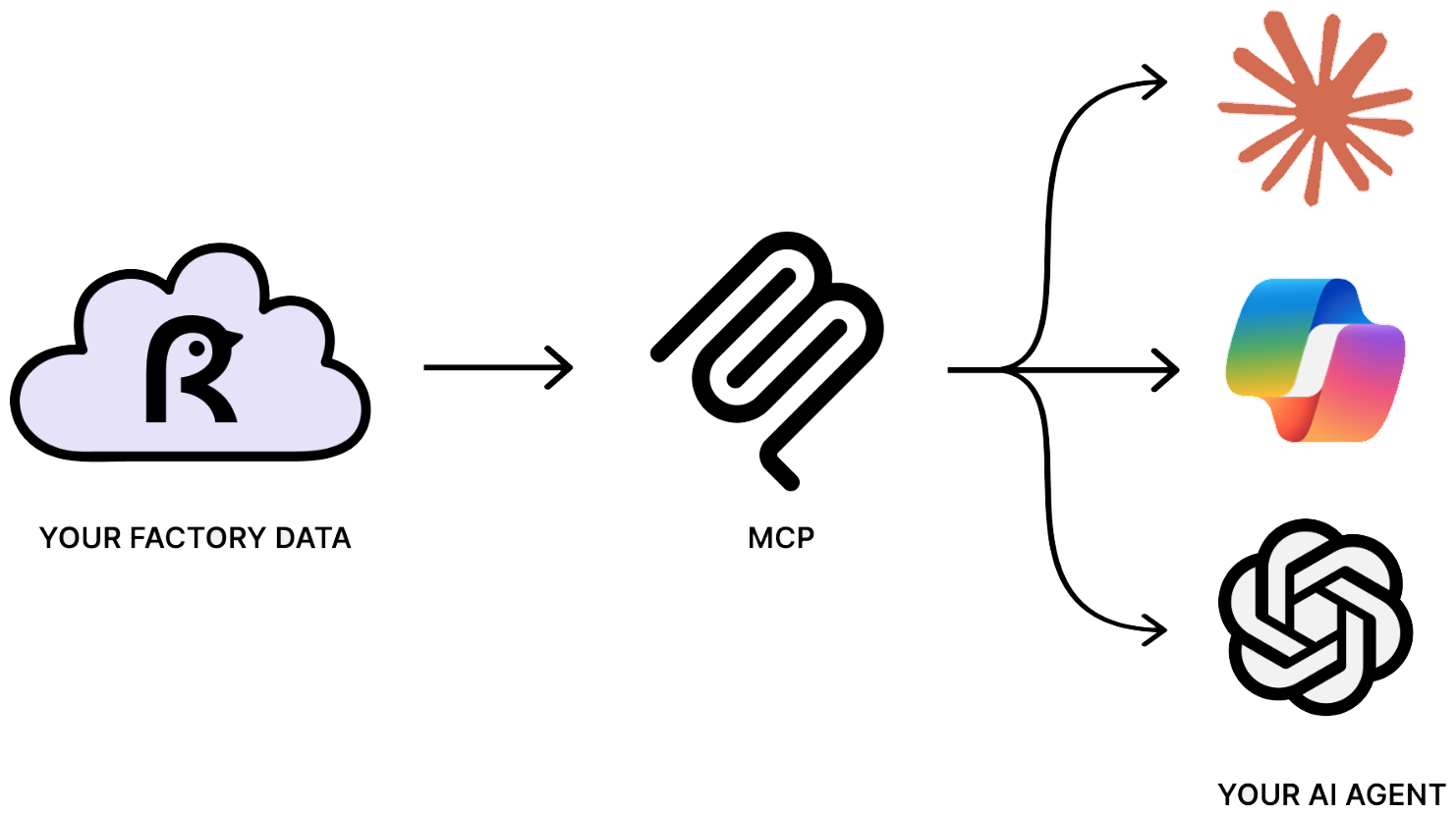


Connect production data to your AI tools
From a single line to every site, this is how your AI assistant reads and reasons over your production data.
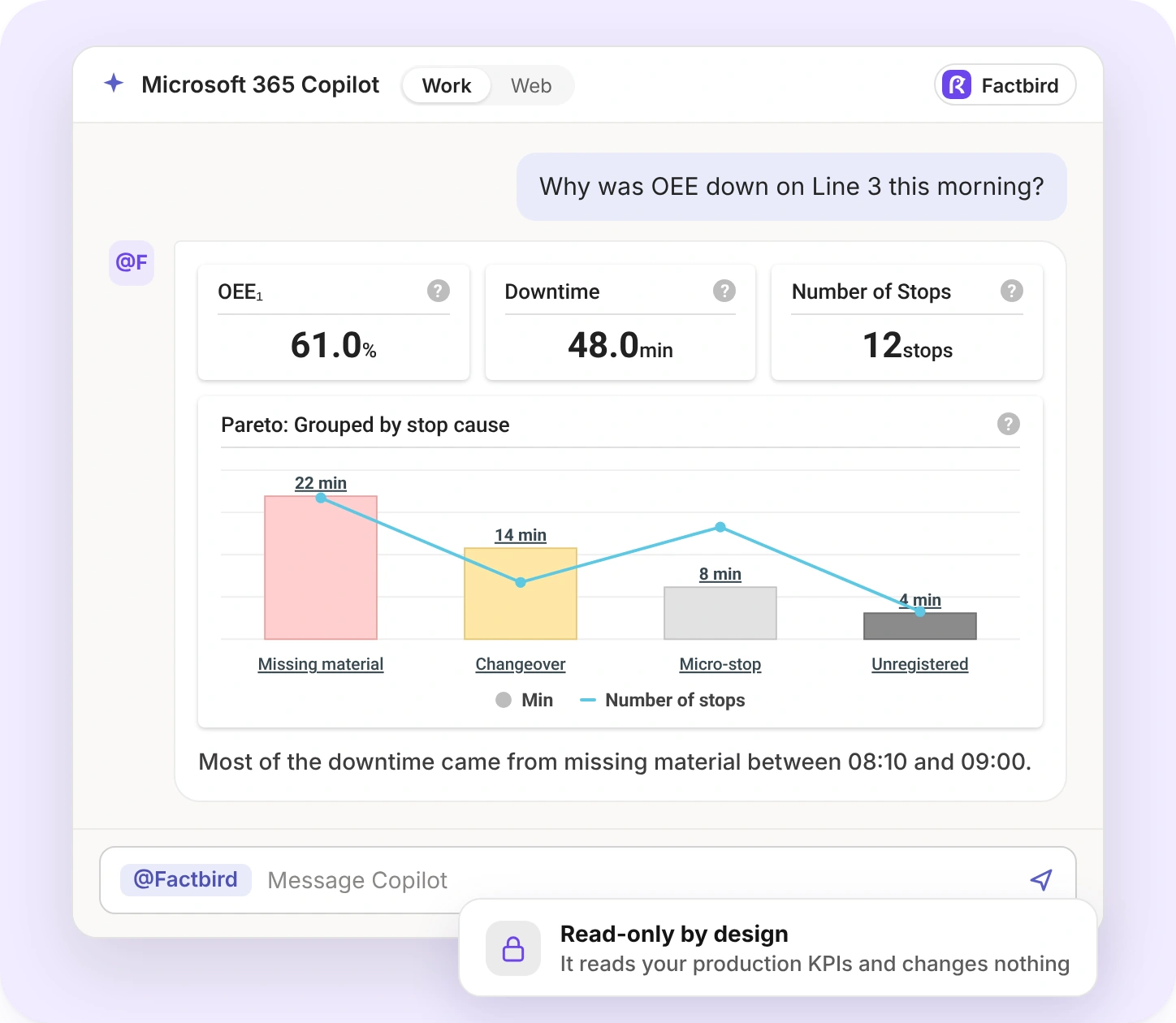
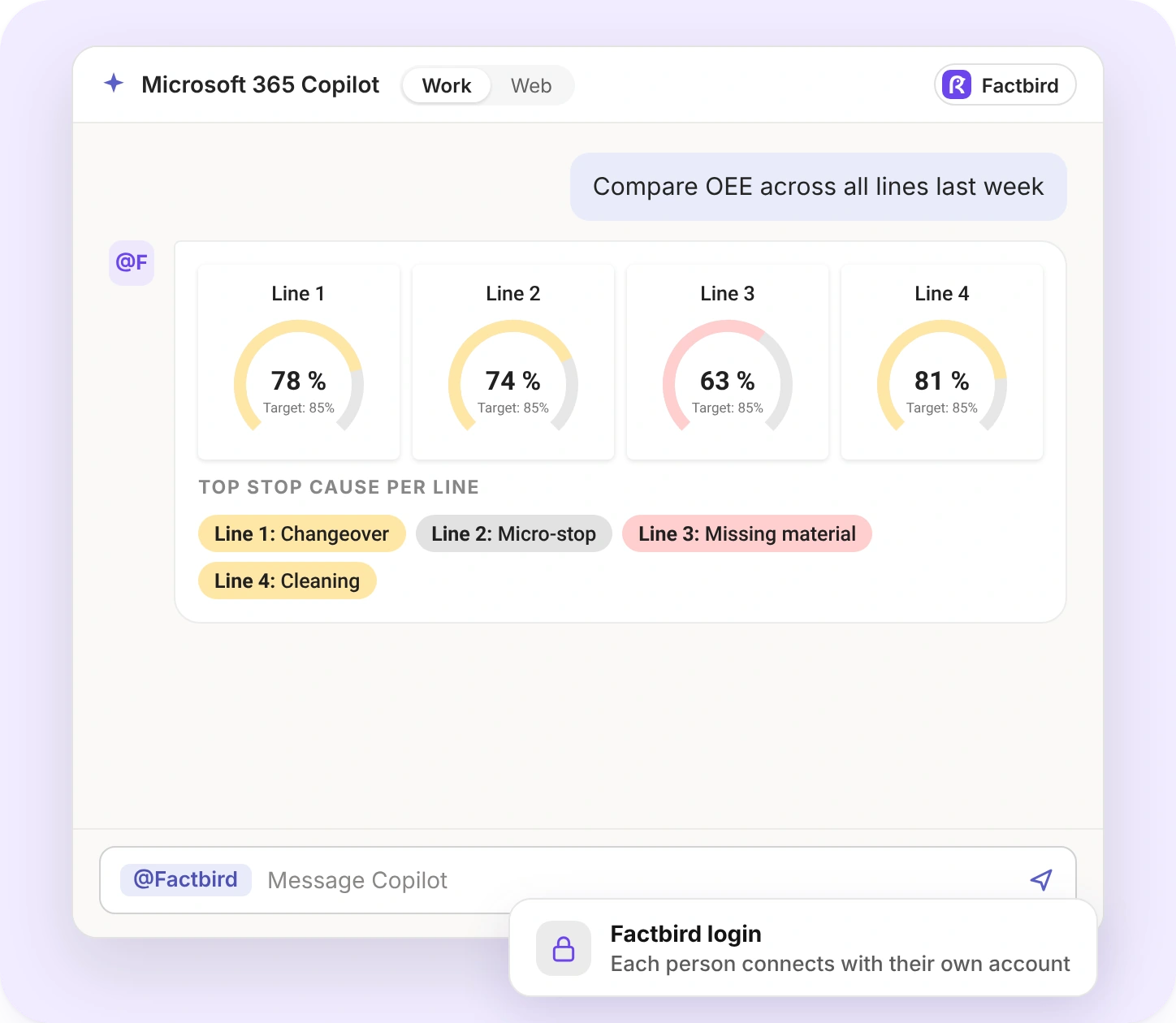
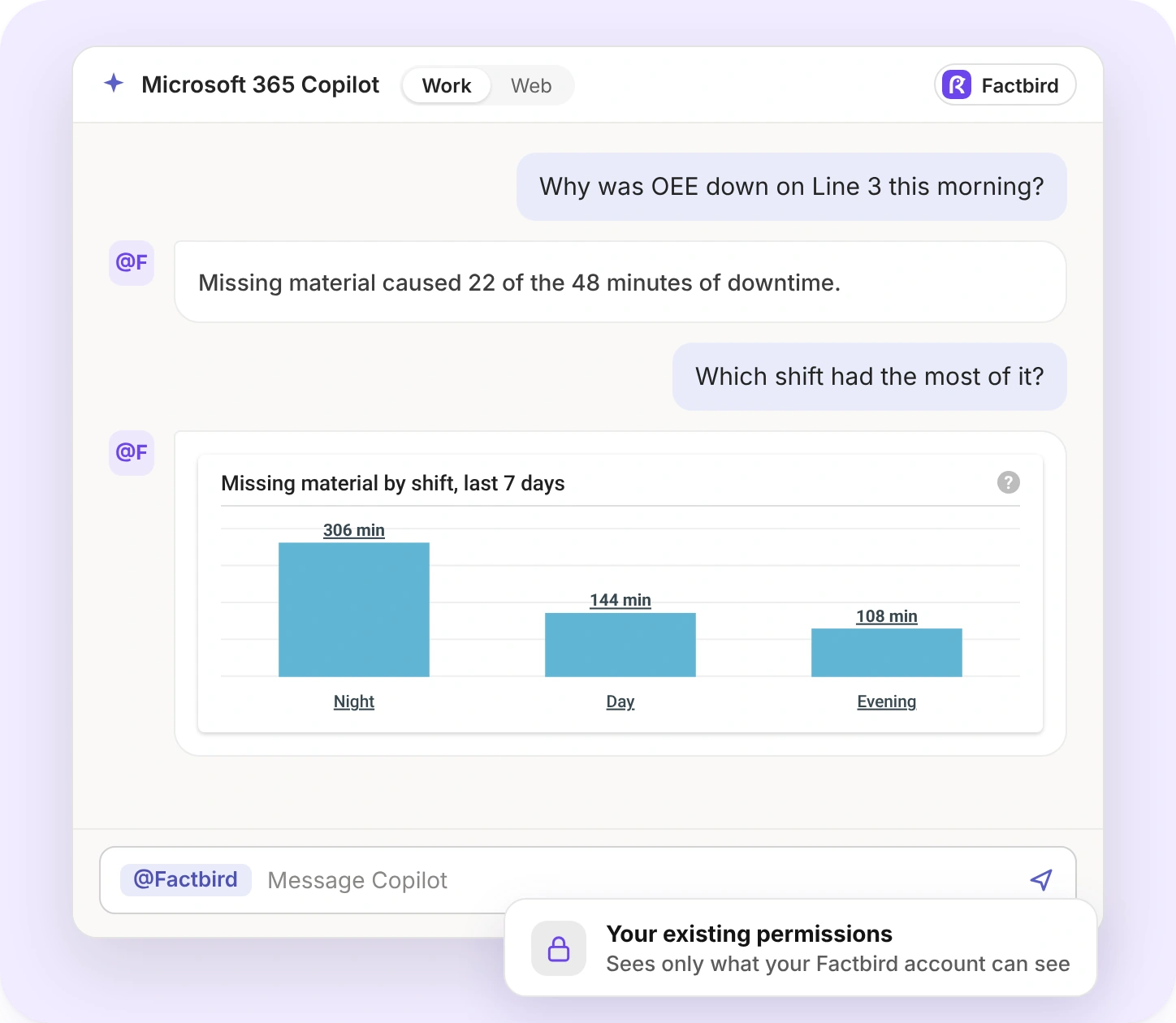
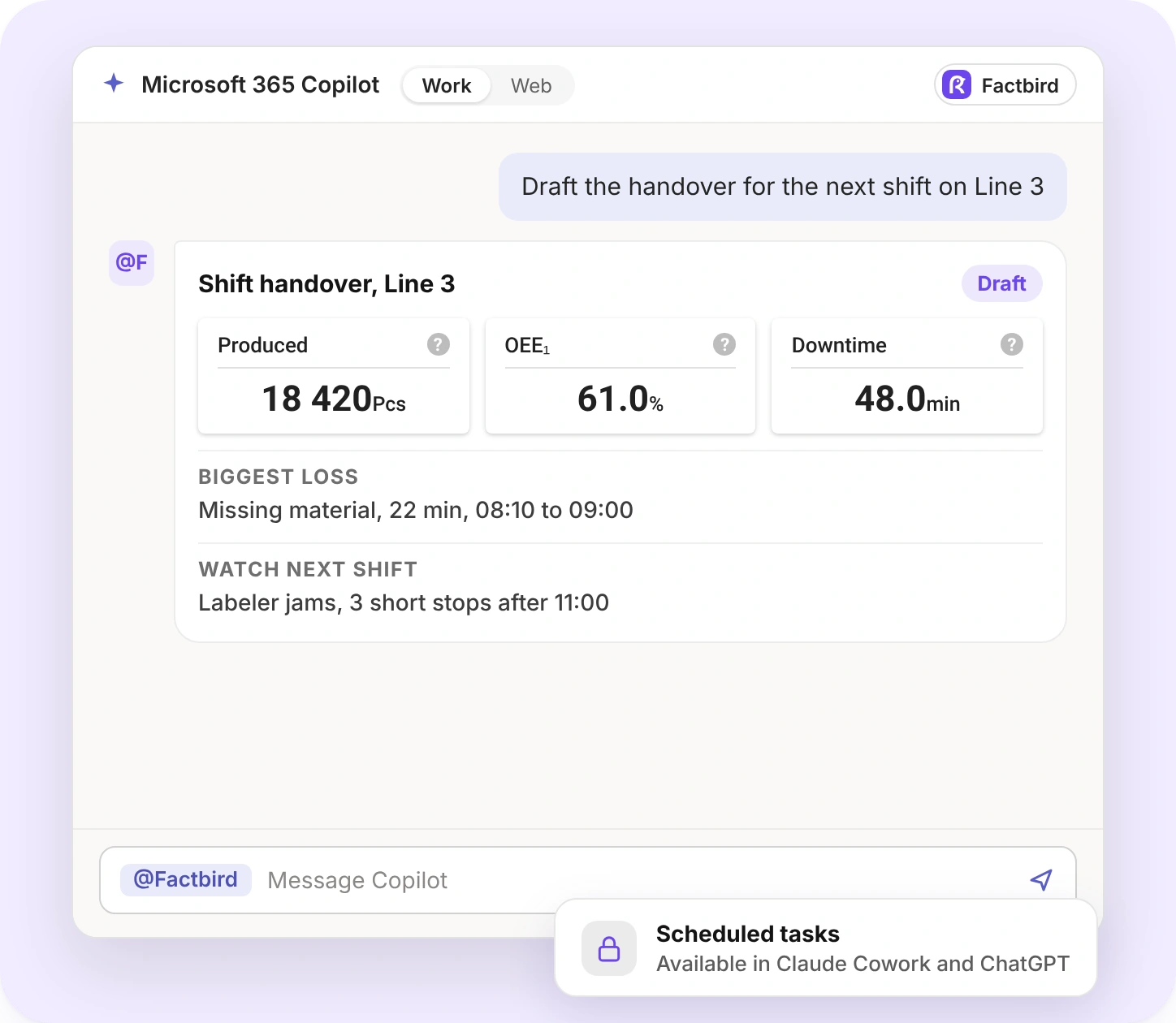
Combine Factbird data with your other systems
Your AI assistant works agentically, which means it can take initiative and operate independently. It decides what to look at next and keeps going until it has an answer it can stand behind. Connect your ERP, maintenance log, or quality records through MCP too, and it reasons across all of them.
How the agent works through a question
Queries Factbird for data
“Why was OEE down on Line 3 this morning?”
Reads what comes back
Spots a run of micro-stops
Decides what to look at next
Pulls the stop causes, which point to one machine
Keeps going until it has an answer
Pulls that machine’s history, and you see the finished analysis
Sources your assistant can reason across
Factbird
Your production data
ERP
Maintenance log
Quality records
How Factbird MCP keeps your data secure
Here is exactly what you give access to, and how your data is protected.
Read-only access
No assistant can change your data, settings, or line configuration through this connection.
Your existing permissions
What people access through their AI tools is exactly what they can access in Factbird.
Factbird login
Each person connects through OAuth with their own account and clicks “allow” first.
Open standard, no lock-in
Switch AI assistants next year and the connection to your data comes with you.
Your AI provider’s terms apply
Once your AI tool has read your data, your agreement with that provider controls how it is stored and used.
No new data flow
Factbird MCP runs inside the AI subscription your company already has. Factbird adds no new data flow on top.
Factbird MCP FAQ
Can't find what you're looking for? Follow the step-by-step setup guides in the Support Hub, or ask your Factbird contact.
What is MCP?
MCP stands for Model Context Protocol. It's an open standard, introduced by Anthropic in 2024, that gives AI assistants a shared way to connect to outside data sources and tools. A data source publishes one connection, and any compatible AI tool can use it.
What is Factbird MCP?
Factbird MCP is the Factbird MCP server, a Model Context Protocol connection that lets AI assistants such as Microsoft Copilot, Claude, and ChatGPT query your Factbird production data. You ask questions in plain language, and the assistant answers using live data from your lines. Access is read-only and follows your existing Factbird permissions.
Which AI tools work with Factbird MCP?
Microsoft Copilot, Claude, ChatGPT, and other AI tools that support remote MCP servers. Which plans support custom connectors depends on your AI tool.
What can I ask the Factbird MCP?
Production KPI queries, such as OEE, downtime, stops, and output, for a line, a factory, or your whole operation. Break results down by line, day, week, product, batch, shift, or stop cause. We continuously add support for more queries.
Can an AI assistant change my production data through MCP?
No. Factbird MCP is read-only. An assistant can read your data, run analysis, and draft reports, but it can't edit data, settings, or line configuration. Users also see only what their Factbird permissions already allow.
Do I need a new subscription to use Factbird MCP?
No. Factbird MCP is included in the Factbird platform at no extra cost. You manage your own subscription for your AI tool, such as Microsoft Copilot, Claude, or ChatGPT.
How long does it take to set up Factbird MCP?
For one person, a few minutes: add the Factbird MCP URL in your AI tool and sign in with your Factbird account. For the whole organization, an admin of your AI tool adds it once. In Microsoft Copilot, an agent maker builds the Factbird agent in Copilot Studio and a Teams admin approves it.
Why use the MCP instead of our existing BI tool?
The MCP is quick to set up, and it lets one agent combine Factbird data with your other data sources, such as ERP or maintenance systems. With a BI tool, you connect your data and then build a dashboard. With the MCP, you connect your data and ask questions in plain language. You can still use your BI tool.
Connect Factbird to your AI assistant in minutes
Reach out to your Factbird contact or talk to us, and we'll connect you. Every new capability your AI tool ships works on your production data the day it lands.