AI Assistant
AI-powered answers directly from your shop floor
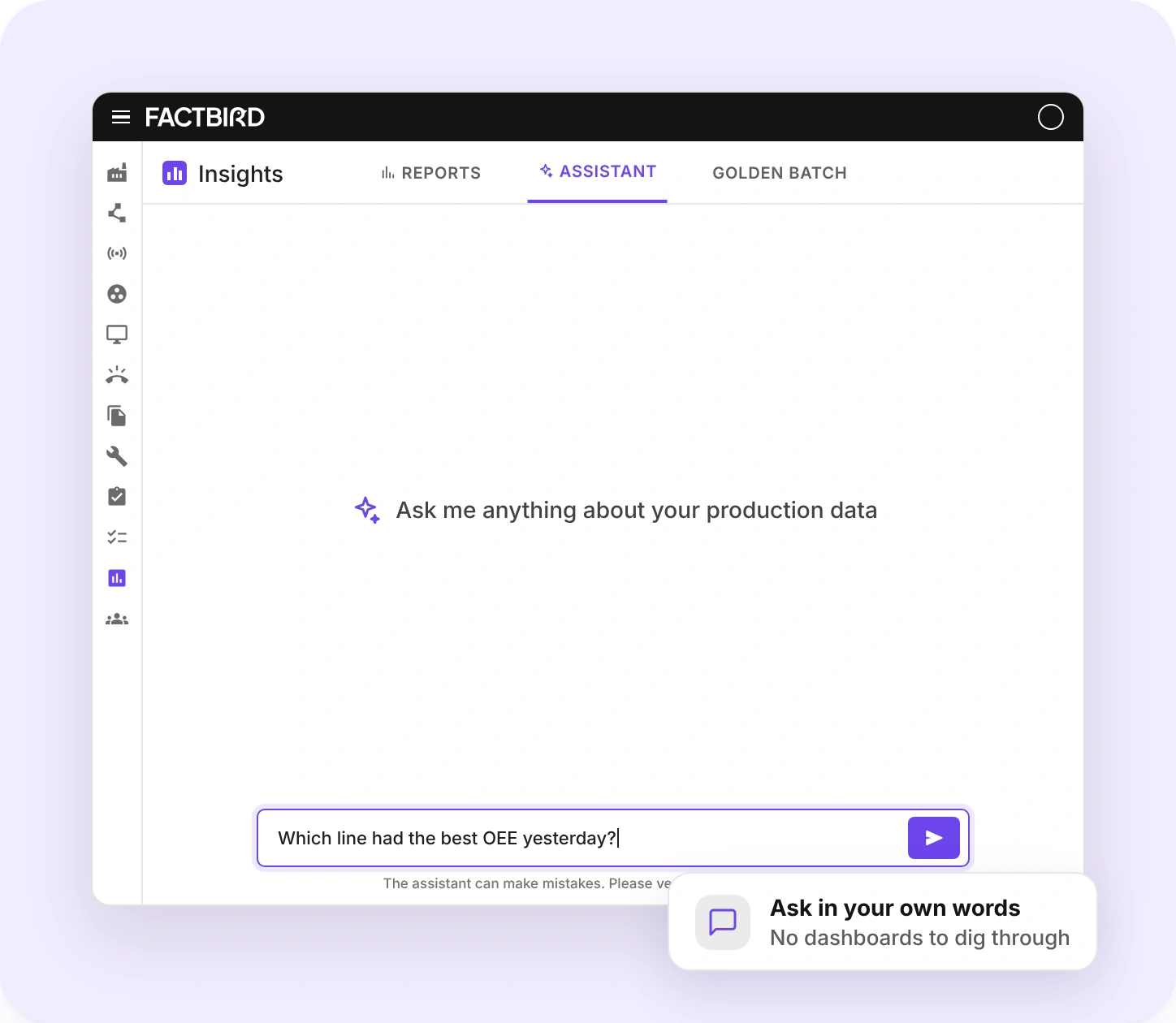
Ask practical questions about your production in plain language and get clear answers about OEE, downtime, and performance, without having to dig through dashboards or build new reports from scratch.


Ask questions. Get answers. Act.
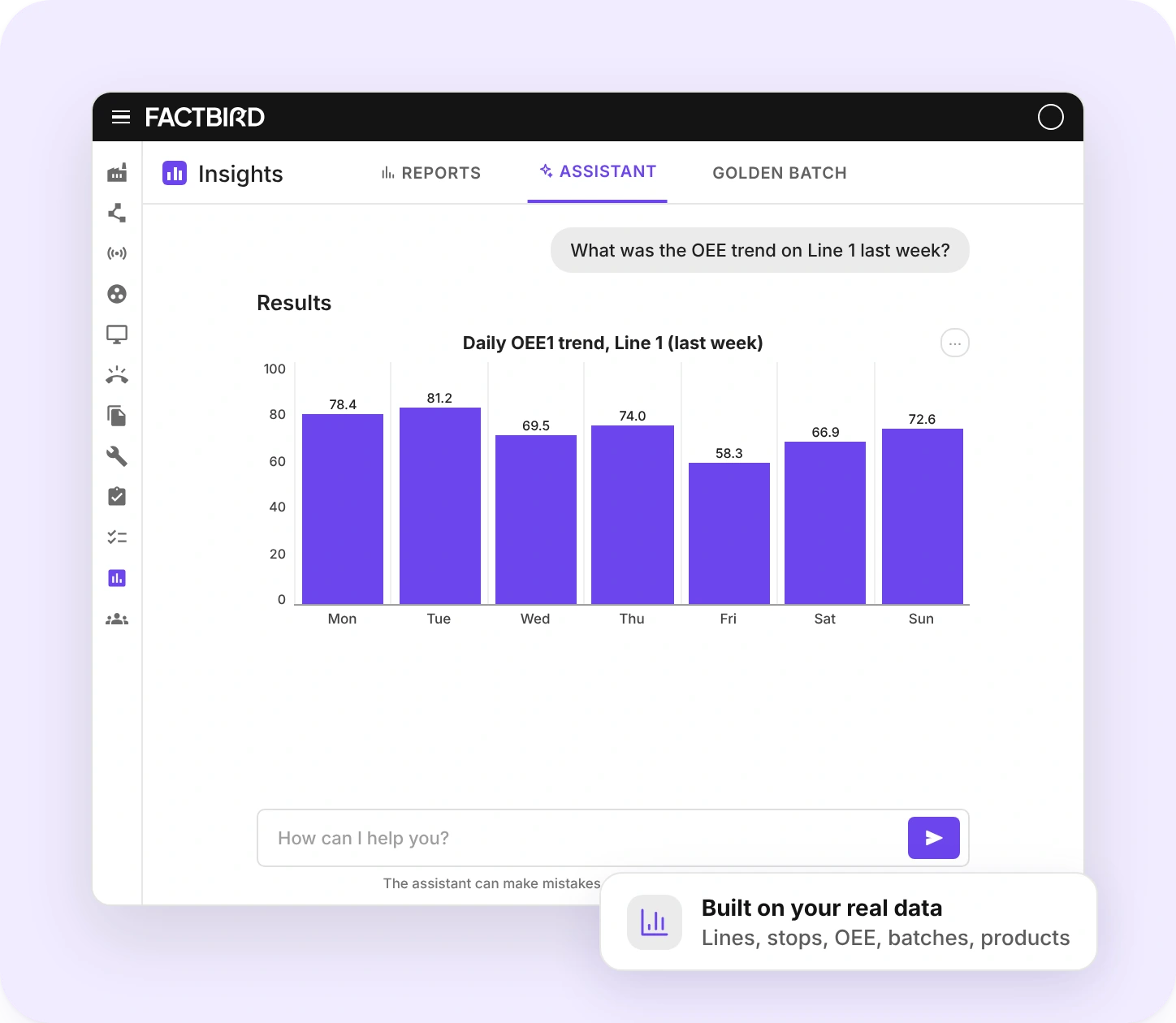
The AI Assistant works with your real production data, so every answer is built from your stop causes, OEE, batches, and units produced. In other words, what's actually happening at your site.
The fastest route from question to action
The Factbird Assistant is your AI copilot for production data. Ask questions in plain language and get instant answers about performance, downtime, and output, without searching dashboards or building reports.
What you can ask about
Without vs. with the AI Assistant
The right answers for every role
Shift leaders, plant managers, and leadership ask different questions. The AI Assistant answers each one distinctly, all based on the same production data.
Shift leader
A quick summary of the last shift, so the handover starts with facts instead of guesses.
Plant manager
Compare lines and spot where to focus, without opening a dashboard for every line.
Leadership
Get the answer behind the numbers in seconds, without waiting for someone to build a report.
AI Assistant FAQ
Can't find what you're looking for? Read the AI Assistant guide in the Support Hub, or ask your Factbird contact.
What is the Factbird AI Assistant?
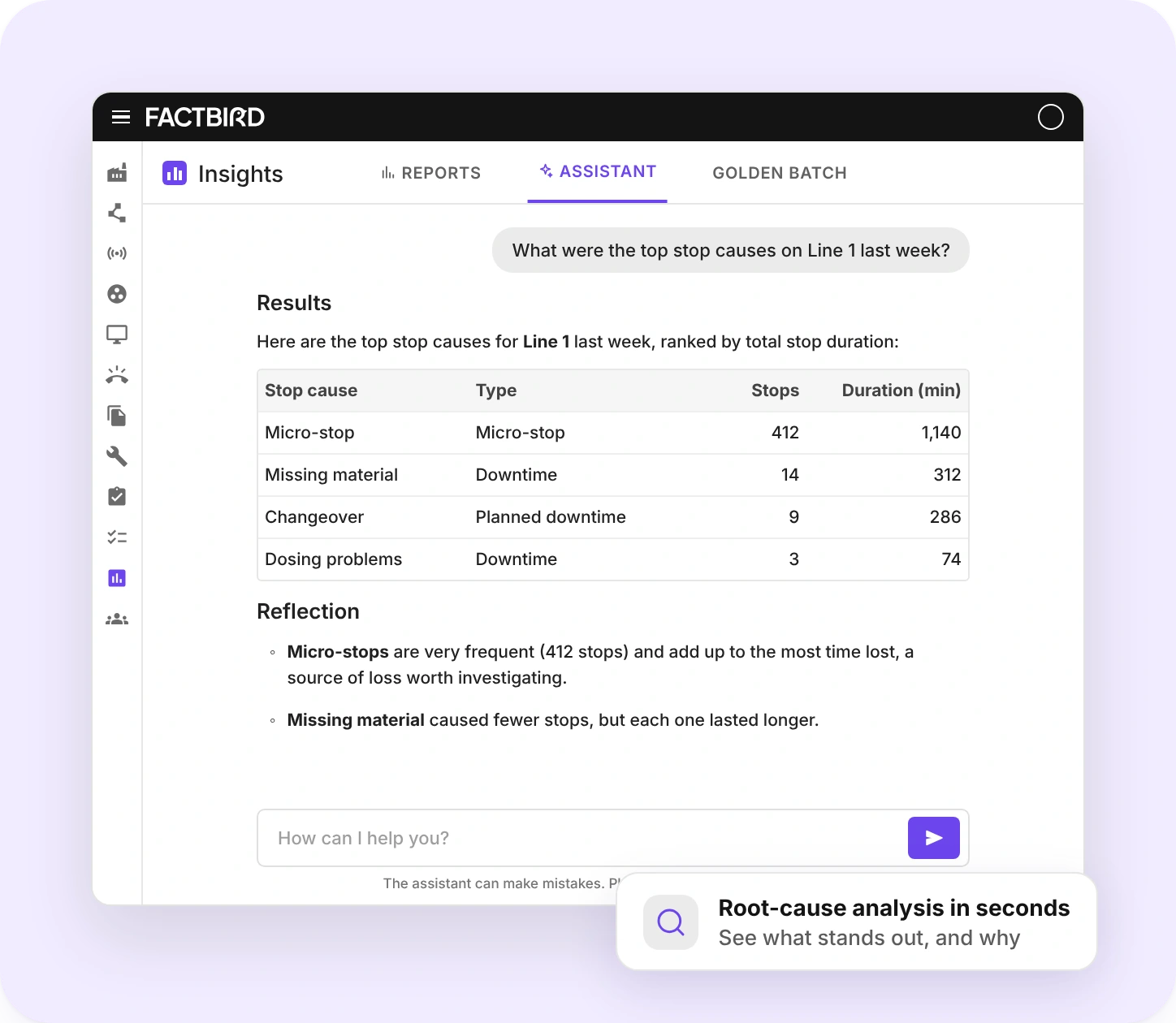
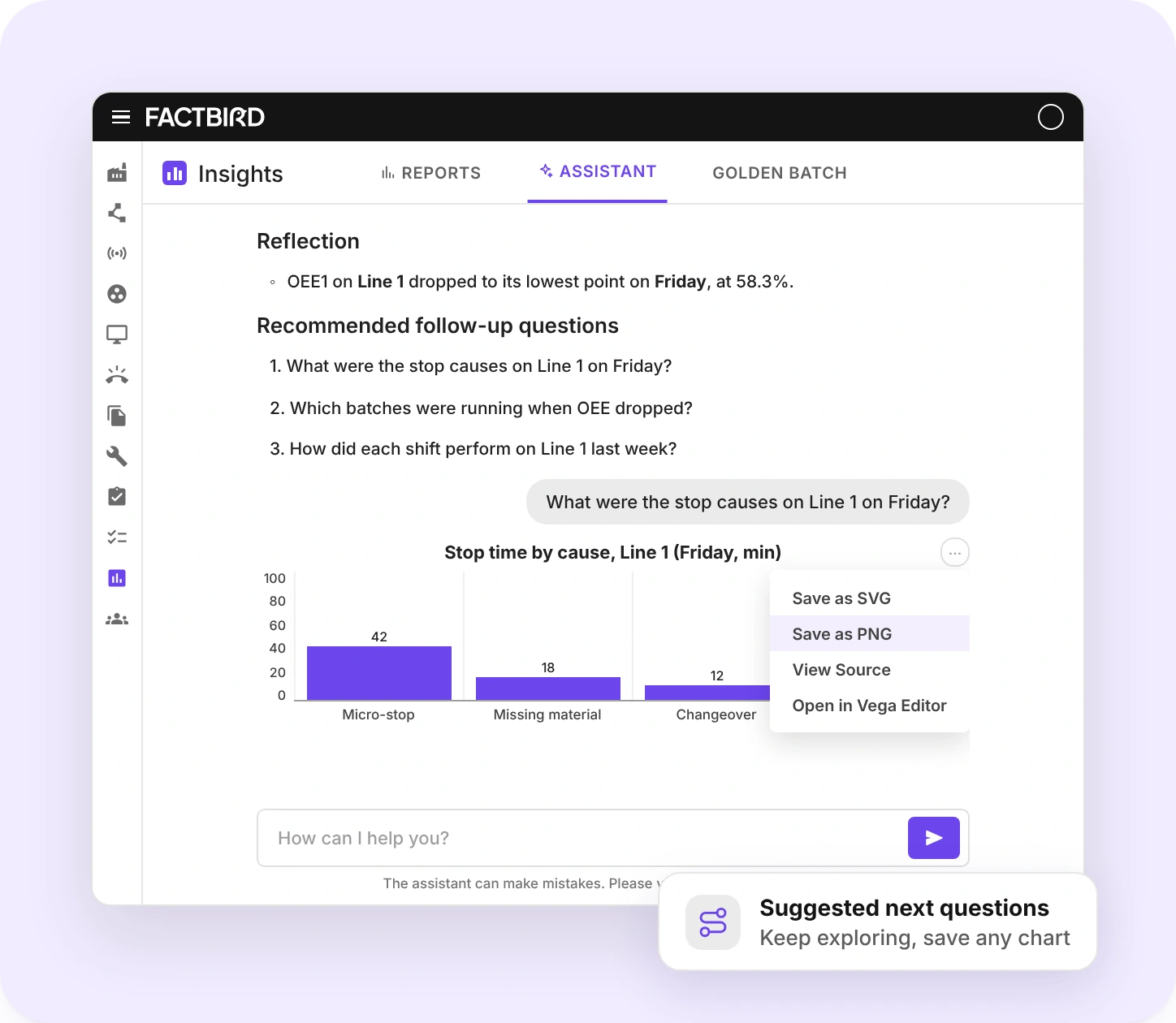
The Factbird AI Assistant is an AI-powered analysis tool that answers questions about your production data in plain language. Instead of building reports or searching dashboards, you ask a question and get an answer with supporting charts and suggested follow-up questions.
Is the AI Assistant an AI copilot for manufacturing?
Yes. The Factbird AI Assistant works as an AI copilot for production data. You ask about performance, downtime, OEE, or output in plain language, and it answers from the real production data already in Factbird.
Where do I find the AI Assistant in Factbird?
Open Insights in Factbird and select the Assistant tab. Type your question in the field at the bottom and send it. Each answer can lead to a follow-up question in the same conversation.
Which production data can the AI Assistant analyze?
The Factbird AI Assistant analyzes data from lines, stops, OEE, batches, and products. The available data sources may expand as the feature develops.
What questions can I ask the AI Assistant?
Ask the practical questions you deal with every day, for example: What were my top stop causes last week? Which line had the best OEE yesterday? Which product has the most consistent output?
How do I get the most accurate answers from the AI Assistant?
Be specific. The Factbird AI Assistant returns more accurate and relevant results when your question includes details such as the production line, the time period, or the stop type.
Should I use the AI Assistant or Reports?
Use the Factbird AI Assistant to quickly explore production data and ask questions in plain language. Use Reports when you need repeatable KPI dashboards with clearly defined filters and widgets that you share with others. The AI Assistant does not replace reports and dashboards.
Can I save a chart from an AI Assistant answer?
Yes. Simply open the menu on a chart in an AI Assistant answer to save it as an SVG or PNG image. Add it to your presentation or share it with your team.
Can the AI Assistant make mistakes?
Yes. Like any AI tool, the Factbird AI Assistant can make mistakes, so verify important details independently, for example in your reports.
Get your first answer today
See how quickly a plain-language question about your production turns into an answer you can act on.