What's New in Factbird?
Stay up to date with the latest improvements, features, and fixes in Factbird.
Want to receive release updates by email?
v1.422.19
New features
- Factbird Support Hub is now available from the help icon in the top-right part of the webpage
- Factbird DUO v2 devices can now be setup with 4 ports through the application
- Factbird DUO devices can now be configured to debounce signals. This is useful for preventing false triggers on sensor inputs
Improvements
- Assistant
- Responses to questions on stop causes are now faster and does not result in errors
Bug fixes
- Assistant
- The Factbird Assistant does now not try to guess what abbreviations in sites mean
- Batch creation
- Switching product in the batch creation dialog no longer shows a wrong expected/validated speed error
- Control recipes
- Deleting a control recipe will no longer reset all control recipes attached to products where the deleted control recipe was attached
- Creating or deleting a control recipe now updates the UI when the change is successful
- Lines overview
- Show production data for manual process sensors that track production metrics
v1.418.1
New features
- Factbird Support Hub is now available from the help icon in the top-right part of the webpage
- Factbird DUO v2 devices can now be setup with 4 ports through the application
- Factbird DUO devices can now be configured to debounce signals. This is useful for preventing false triggers on sensor inputs
Improvements
- Assistant
- Responses to questions on stop causes are now faster and does not result in errors
Bug fixes
- Assistant
- The Factbird Assistant does now not try to guess what abbreviations in sites mean
- Batch creation
- Switching product in the batch creation dialog no longer shows a wrong expected/validated speed error
- Control recipes
- Deleting a control recipe will no longer reset all control recipes attached to products where the deleted control recipe was attached
- Creating or deleting a control recipe now updates the UI when the change is successful
- Lines overview
- Show production data for manual process sensors that track production metrics
v1.414.16
New features
Improvements
- Activities
- Introduces a “not applicable” state to the timeliness of activities that are not set to expire
- Activities are now marked with an “Overdue” chip in the batch activity log if they are indeed overdue
- Visual refresh of Assistant: Updated the application with a cleaner, more modern interface
Bug fixes
- Batches: Resolved an “Invalid time value” error when navigating to the batches tab if a batch in the list had an excessively large planned quantity
- Notifications: Mitigates excessive and erroneous duplicate notifications if additional notification context fails to apply because of a configuration error for a single notification in a batch of notifications to be delivered
- Changeover Targets: Correctly overwrite changeover target when changing the stop cause that a stop is attributed to
- Control Recipe: The full list, rather than a single page, of control recipes are now fetched in the corresponding control recipe dialog
v1.413.6
New features
- Activities
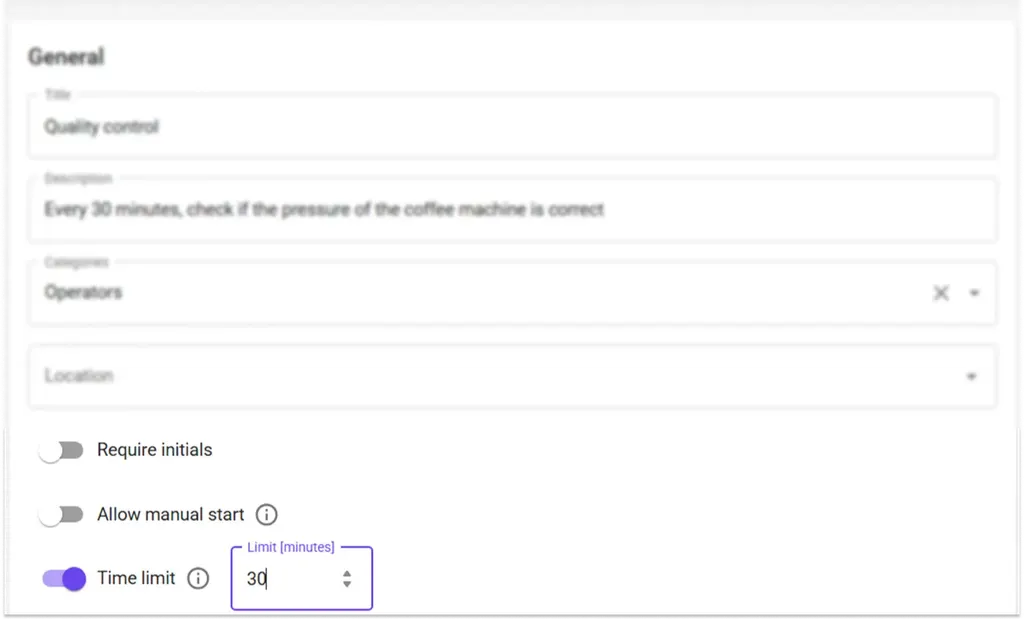
- Activity expiration time: You can now set an expiration time for an activity, tracks whether an activity was performed on time or not. Activities that exceed the time limit are labeled as “Late submission” in the Activity Log within the Batch List view. For non-batch activities, timeliness can be checked in the Reporting section under the Activities tab by opening the activity and viewing the Details panel.
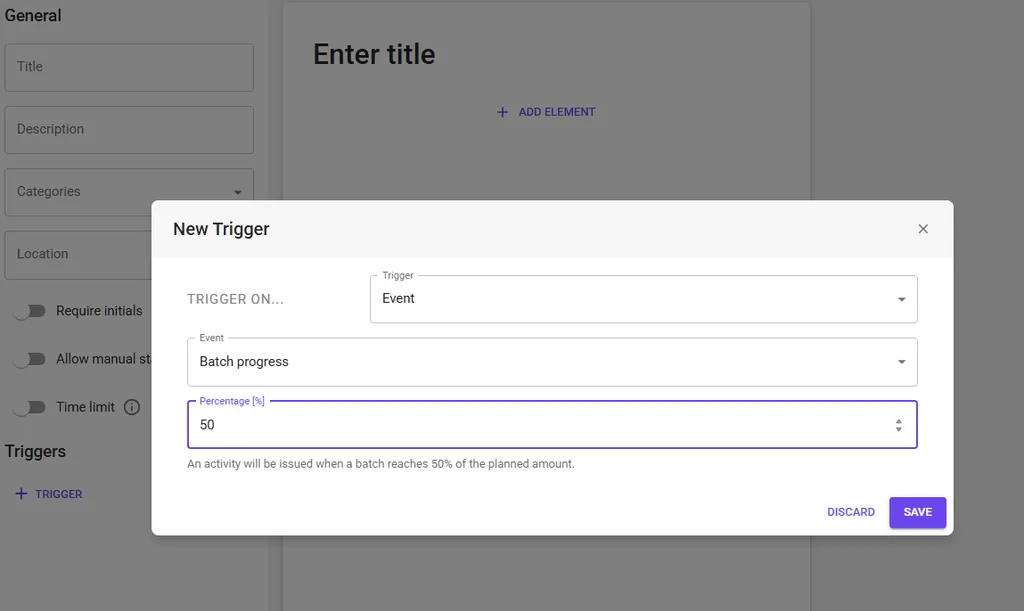
Batch progress trigger: You can now pick a trigger that will create an activity once it reaches a certain percentage of produced/planned amount during a batch.
Batch activity log: A detailed log is now available to view all activities associated with a batch (activities configured with batch-related triggers such as batch start or batch end) . This includes both automated batch events and manually or system-triggered in-batch activities, offering improved traceability and process visibility.
.webp)
Improvements
Bug fixes
- Improved scrolling on devices page: Resolved issues with inconsistent or laggy scrolling behavior on the Devices page within the Administration panel.
- Batch list load error resolved: Fix list of batches sometimes failing with
Missing field...errors. The system now handles data loading more robustly, preventing this error from interrupting batch visibility.
v1.411.16
New features
- Line uptime KPI: It is now possible to display an “Uptime” KPI on a line. You can add this KPI in the list under Line settings > KPIs and enable it for the line you want to display it.
- Confirmation button for data overrides: Added a “Confirm” button has been added when performing data overrides. This ensures users can explicitly confirm and apply changes, improving clarity and data integrity.
Improvements
Bug fixes
Sensor configuration error resolved: Fixed an issue that caused an error when configuring sensor in the Administration panel
v1.410.8
New features
Improvements
Faster Activity Page Loads: Pages related to Activities now load more quickly, improving navigation and responsiveness
Bug fixes
v1.408.3
New features
Improvements
Bug fixes
Fix bug that did not allow scrolling the list of users within Organization permissions
v1.406.10
New features
Improvements
Bug fixes
- Fix a case where fetching shifts would fail
- Resolve an issue where the Group and Role administration pages could not be scrolled
- Fix “Unable to find descendants…” errors in Organization administration when adding lines
v1.405.15
New features
Improvements
The Organization Administration page now scrolls, making edits easier
Bug fixes
v1.404.27
New features
Improvements
- Assistant: Update color palette of charts to use Factbird’s colors
- Move the bottom bar that has version number, status, getting started, help, What’s New, to the question mark icon on the top-right
- Better support for smaller screens by making the left navigation menu automatically collapse
- Users now automatically get access to all cameras on lines they have access to
Bug fixes
- Fix an issue where changing wiring (PNP/NPN) settings on a Factbird DUO did not take effect
- Resolve a case where not all batches were displayed in the “Batches” tab on a line
- The sidebar navigation bar now overflows into a “More” button, instead of displaying icons on top of each other
- Fix deleted sensors showing an empty name in the sensor selection on a line’s sensor selection dropdown
- Resolve a case where the Hourly count page did not auto-update table data when changing the time selection
- Fixes an issue where the
companiesGraphQL query would return an empty list - Change the unit of the machine cycle time KPI to “sec/cycle” instead of “sec/pcs”
- Fix an issue where deleted sensors showed up on the line page with an empty name
- Resolve a case where switching lines would sometimes not update the list of products
- Fixed a bug where trying to create a batch would return “product does not exist” errors
- Fix a case where the live graph would show a spike at the most recent sample